
Context & benchmarking
Improving how users submit event reports — Civi's user-generated content (UGC) flow.
Problem
Before this, Civi directed users to a WhatsApp channel to report events, where the team would validate and publish them in the app. Sending people outside the app made the whole process feel unreliable — few users actually reported anything, and what we did get was often incomplete, with no photos or video to verify it.
Goal
My goal was to create an easy in-app flow for users to submit event details — clear enough for Civi's team to validate quickly before publishing.
Benchmark research
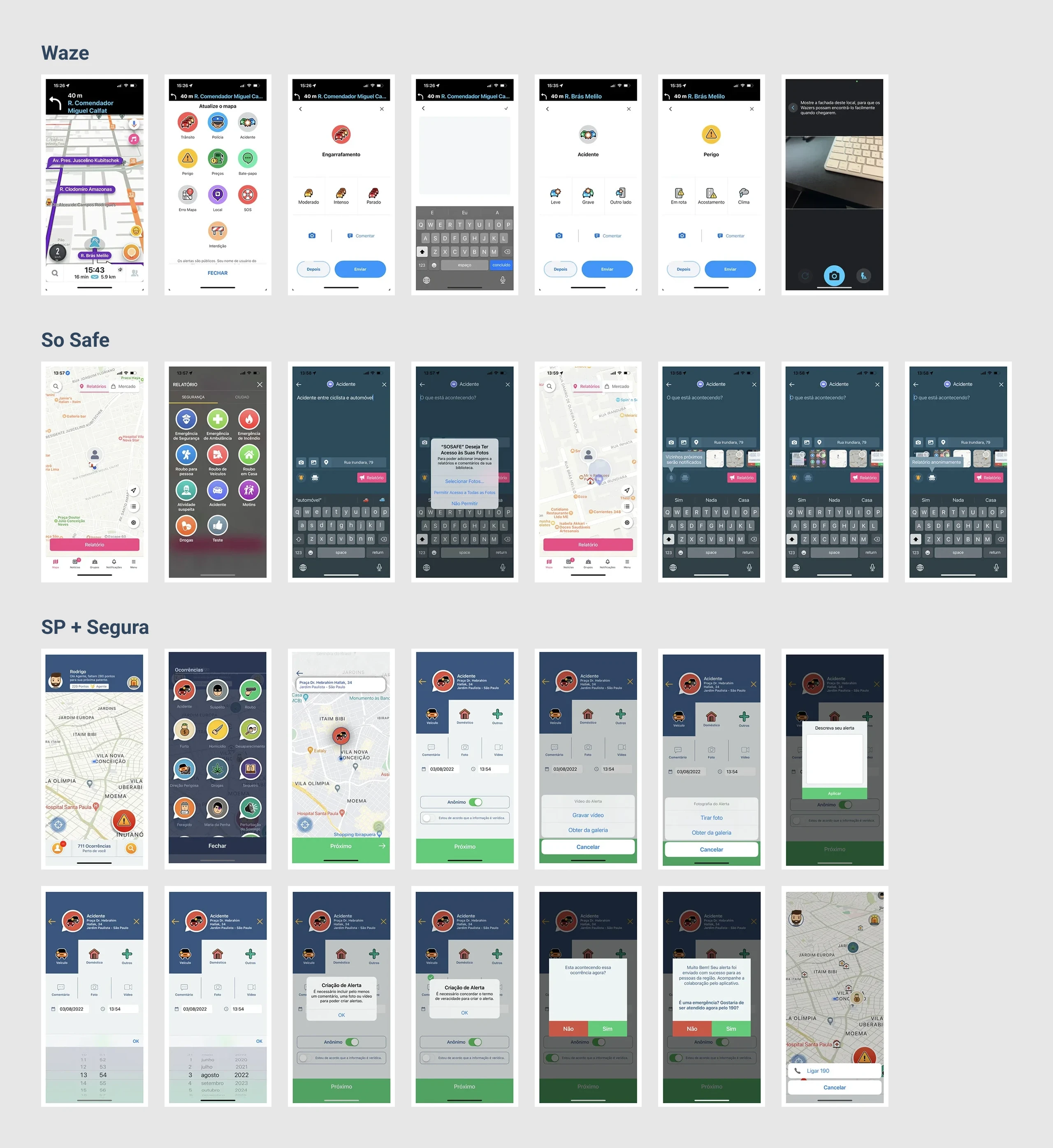
To understand how other apps handled event reporting, I ran a competitive audit of direct competitors like So Safe and SP + Segura. Since their UX wasn't great either, I also looked at indirect competitors — Waze, Instagram, WhatsApp, TikTok, Facebook, and Airbnb — for inspiration.
User interviews
I built a first version of the flow, but after launch, submissions actually dropped further. Firebase event data showed users were mostly dropping off at the upload-media step.
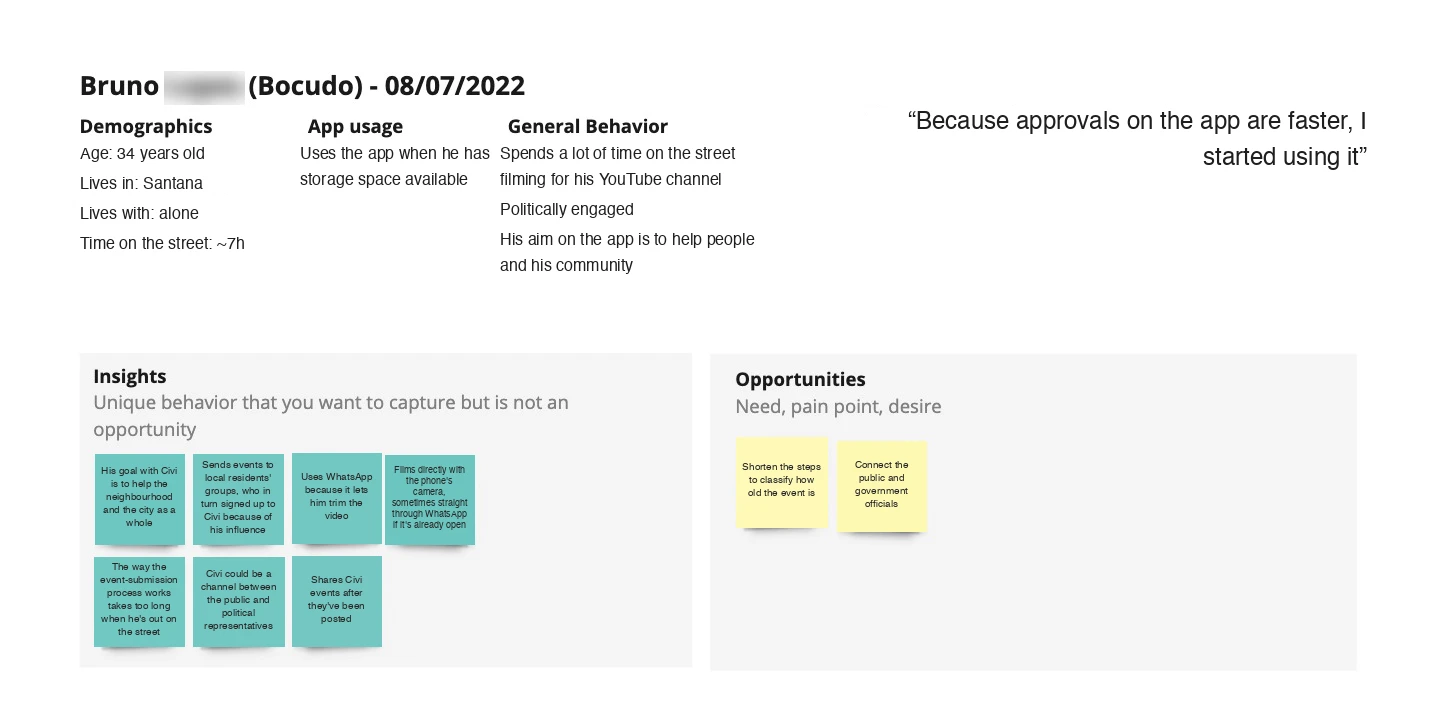
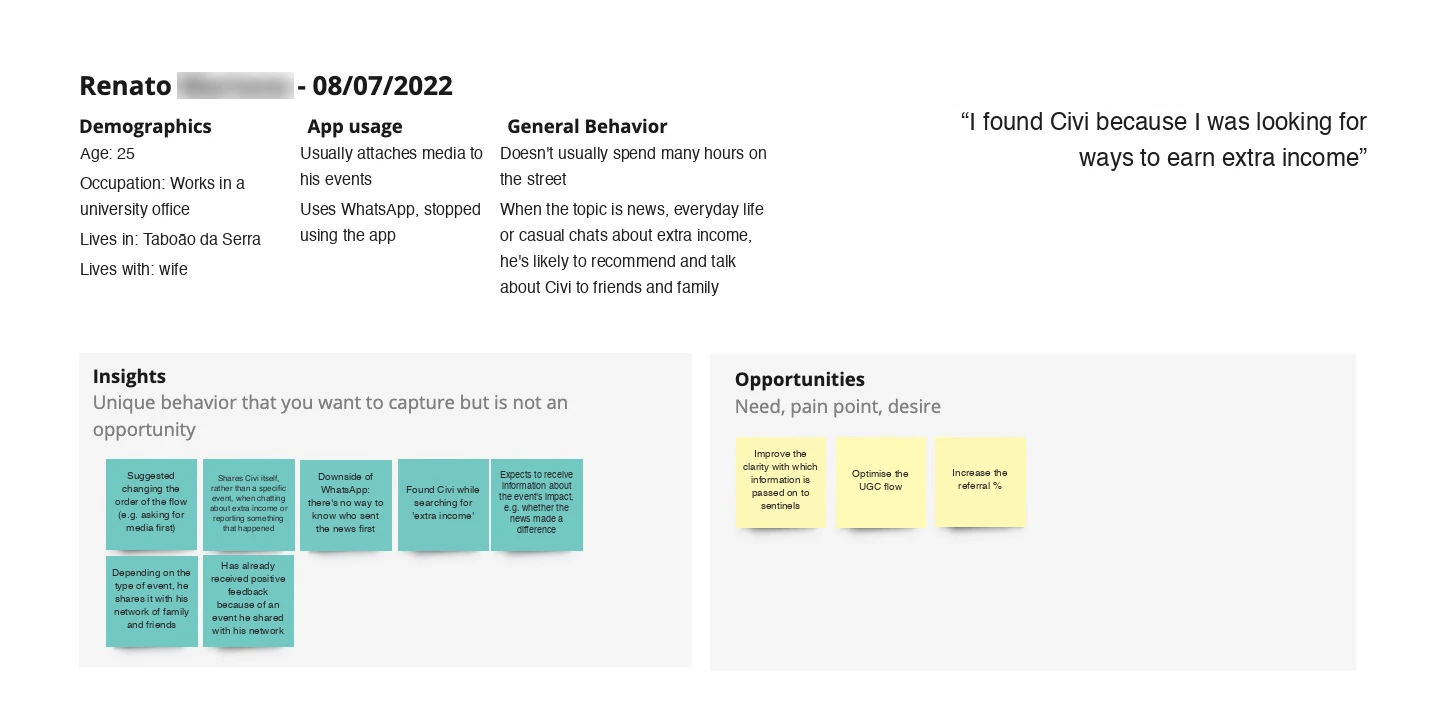
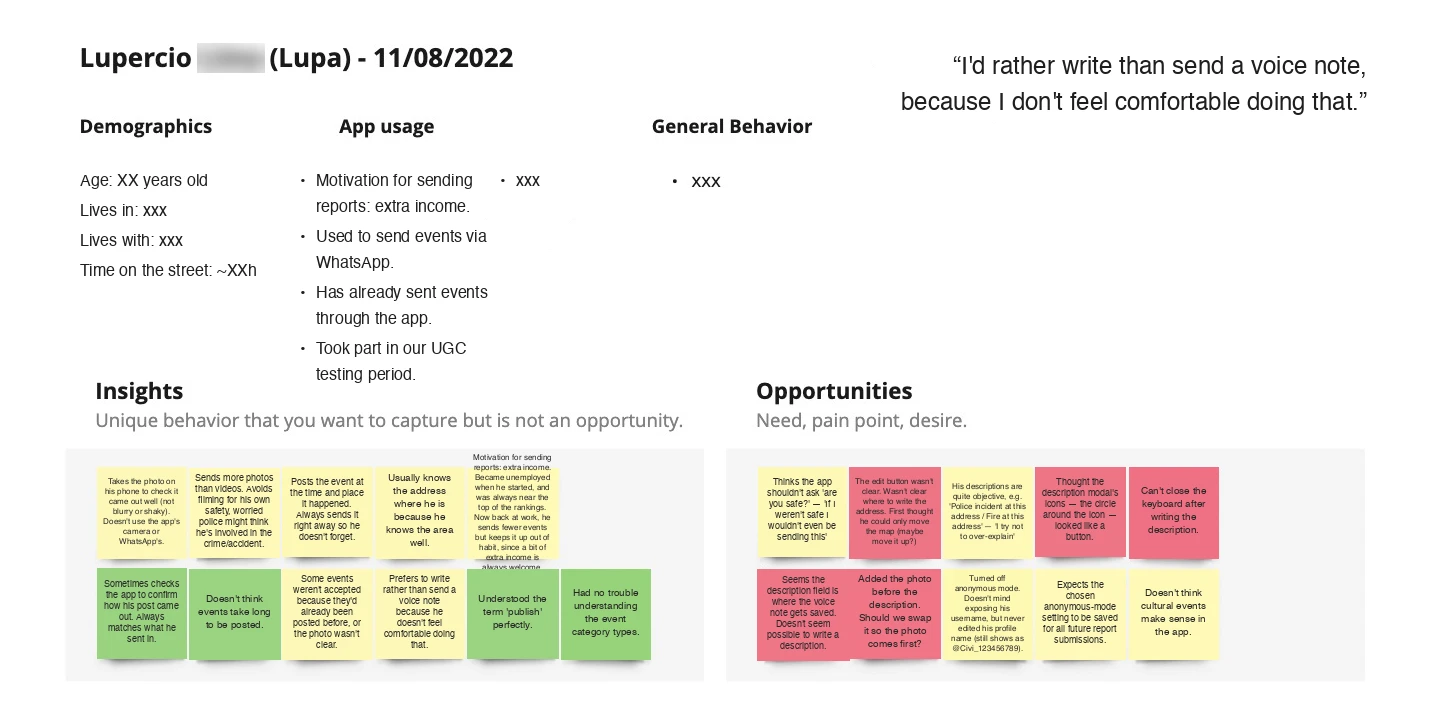
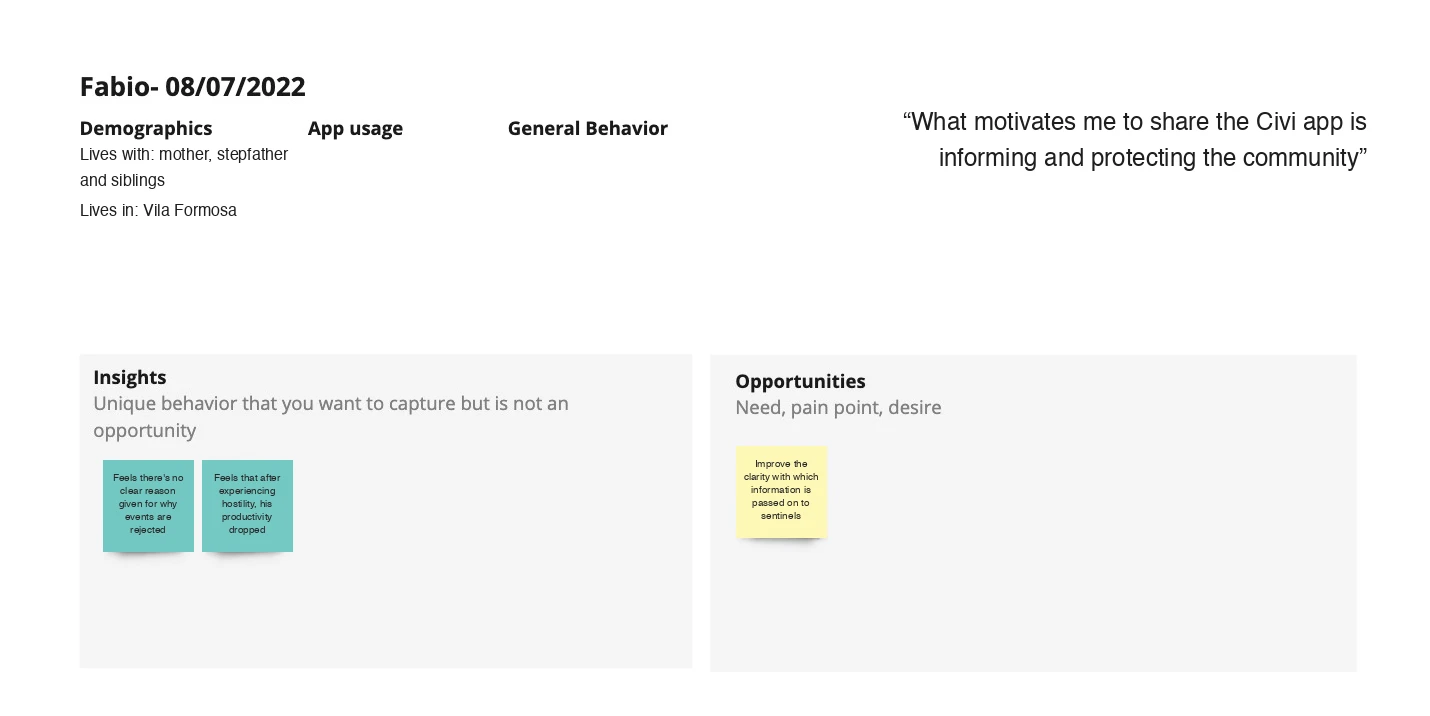
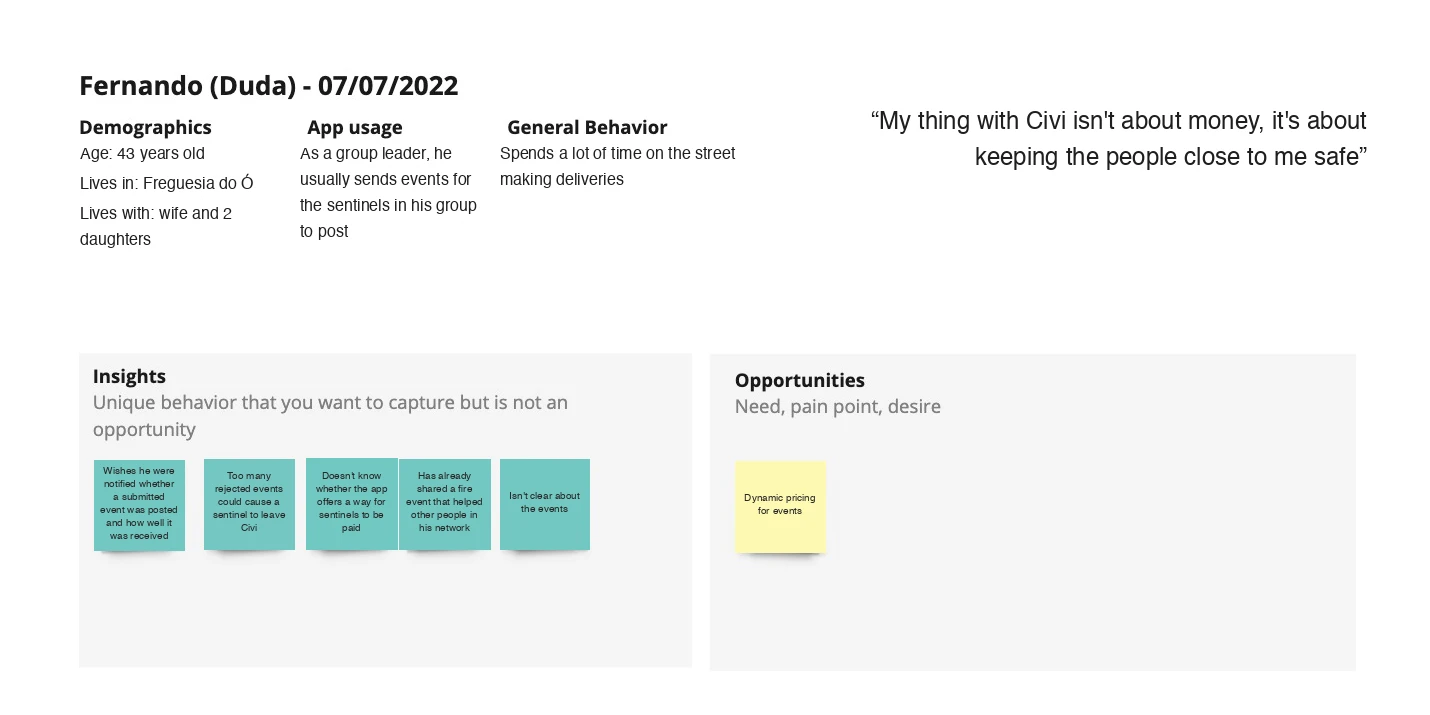
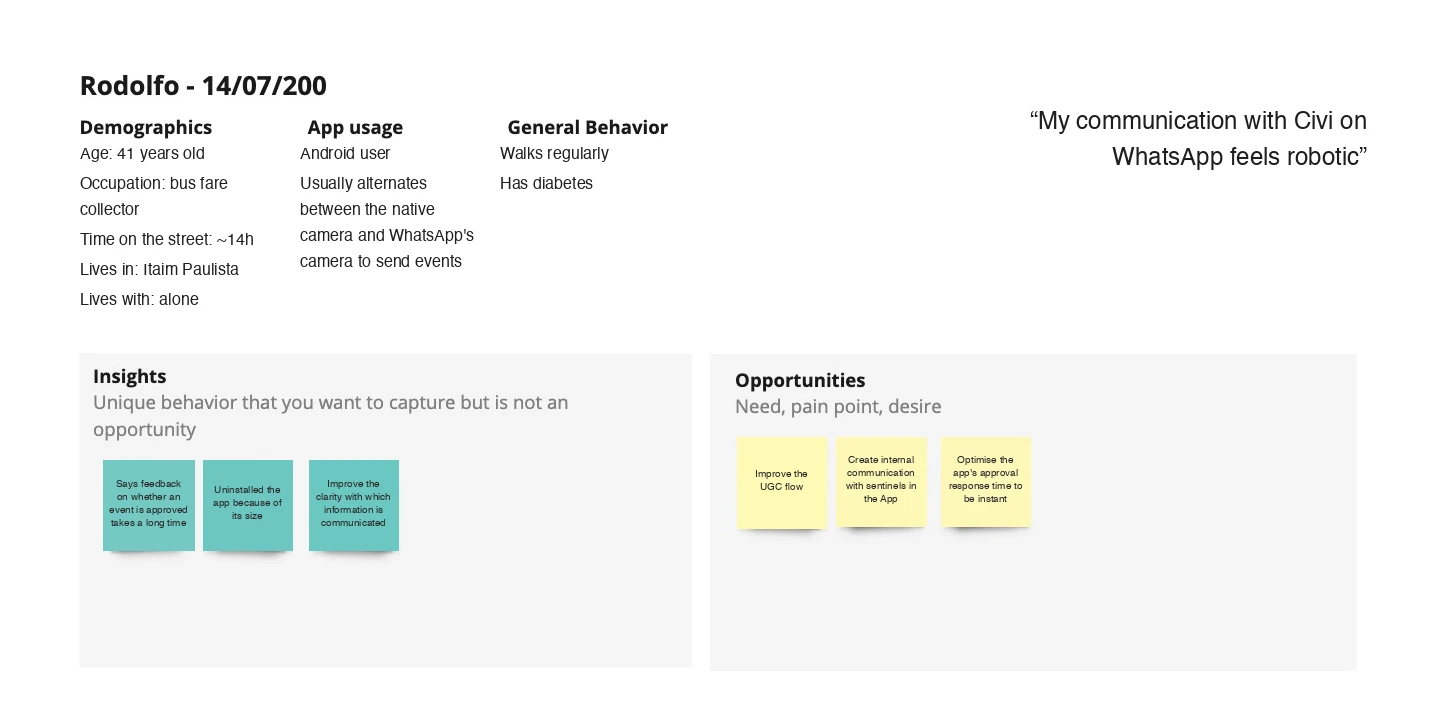
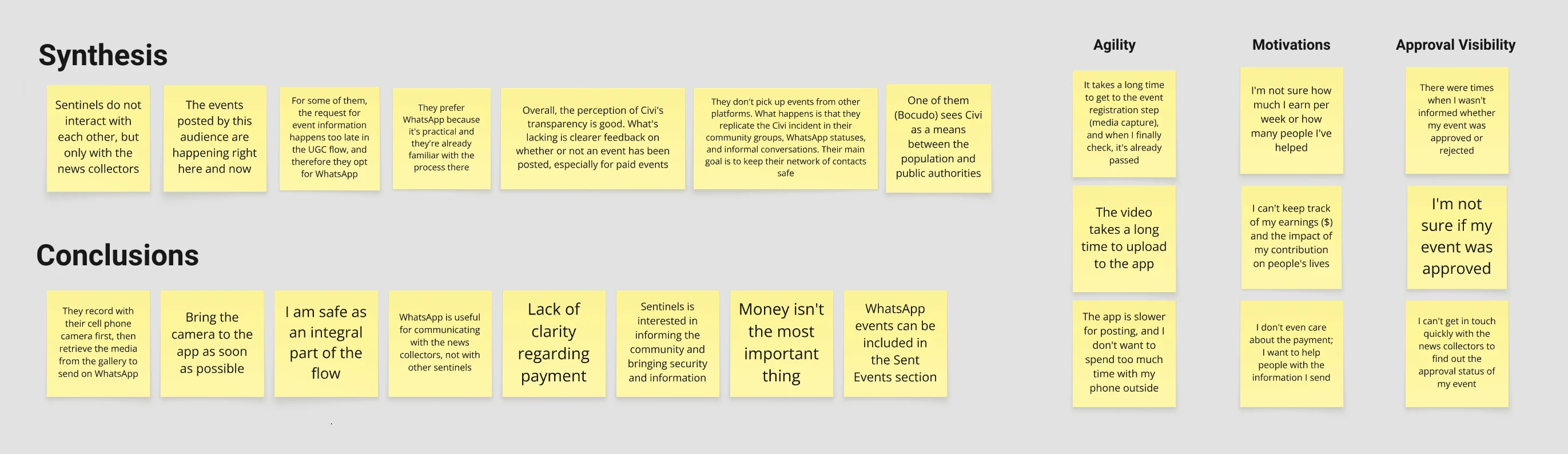
To dig into why, I interviewed users who'd completed the flow successfully, to understand their experience and the real-life scenarios worth designing for. I also interviewed users who'd dropped off, to find out why and get their feedback.
New flow advantages
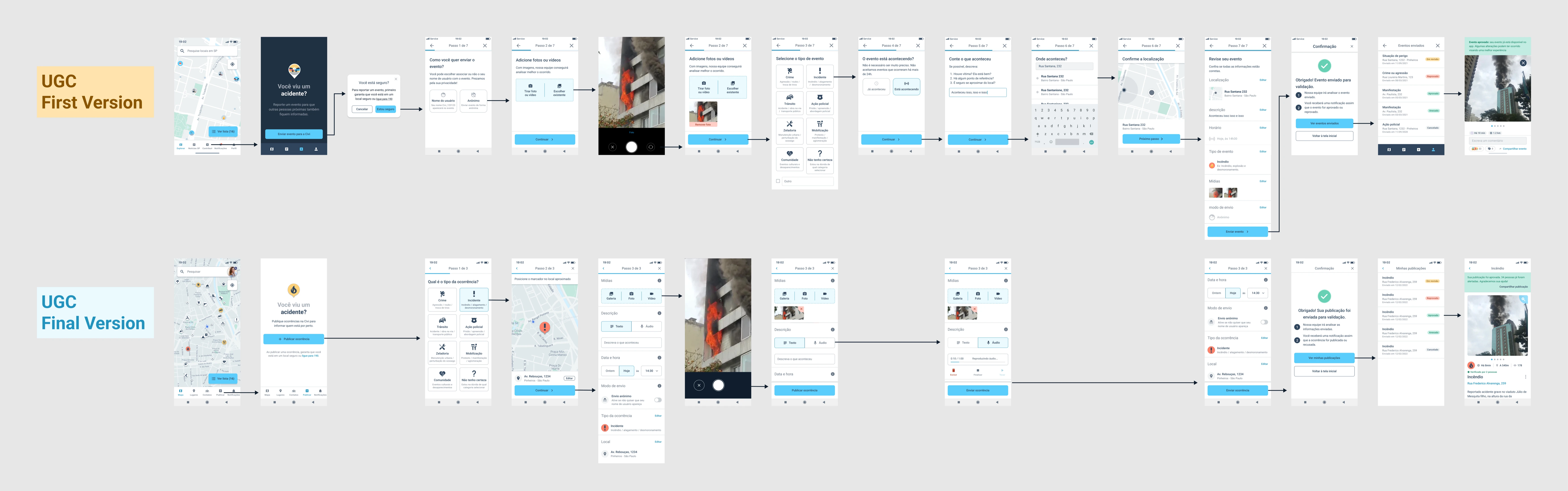
Based on what I heard in those interviews, I made several changes to the flow. Here's how the new version compares to the old one:
Simplicity and speed
The old flow had 7 steps; the new one has 3. Sending anonymously, picking a date/time, and writing a description are now all on one screen.
Location tracking
The new flow detects the user's current location automatically and shows it on a map, so there's no need to type an address — helpful for reporting something witnessed on the street without knowing the exact address.
Audio recording
Users can record audio to describe what happened instead of typing it out.
More intuitive flow
Some users didn't realize they could report events through the app at all, so the first step now shows every available event type upfront.
Results
After launching this version to a beta group, event submissions rose 87% compared to a control group. Interviews confirmed the task really did take less effort, though there was still room to improve — so we rolled it out to the full user base and kept refining the flow over the following months.
On the ops side, average event-processing time dropped to about 30% of what it had been, which meant less new hiring and let the team reallocate people to higher-priority work.
Check the details of the UGC flow (first and final versions) below, or open it in a new tab →